
In the menu: Inventory → Inventory.
The page shows the stock of each product per warehouse. Search by name or SKU, and filter by warehouse.
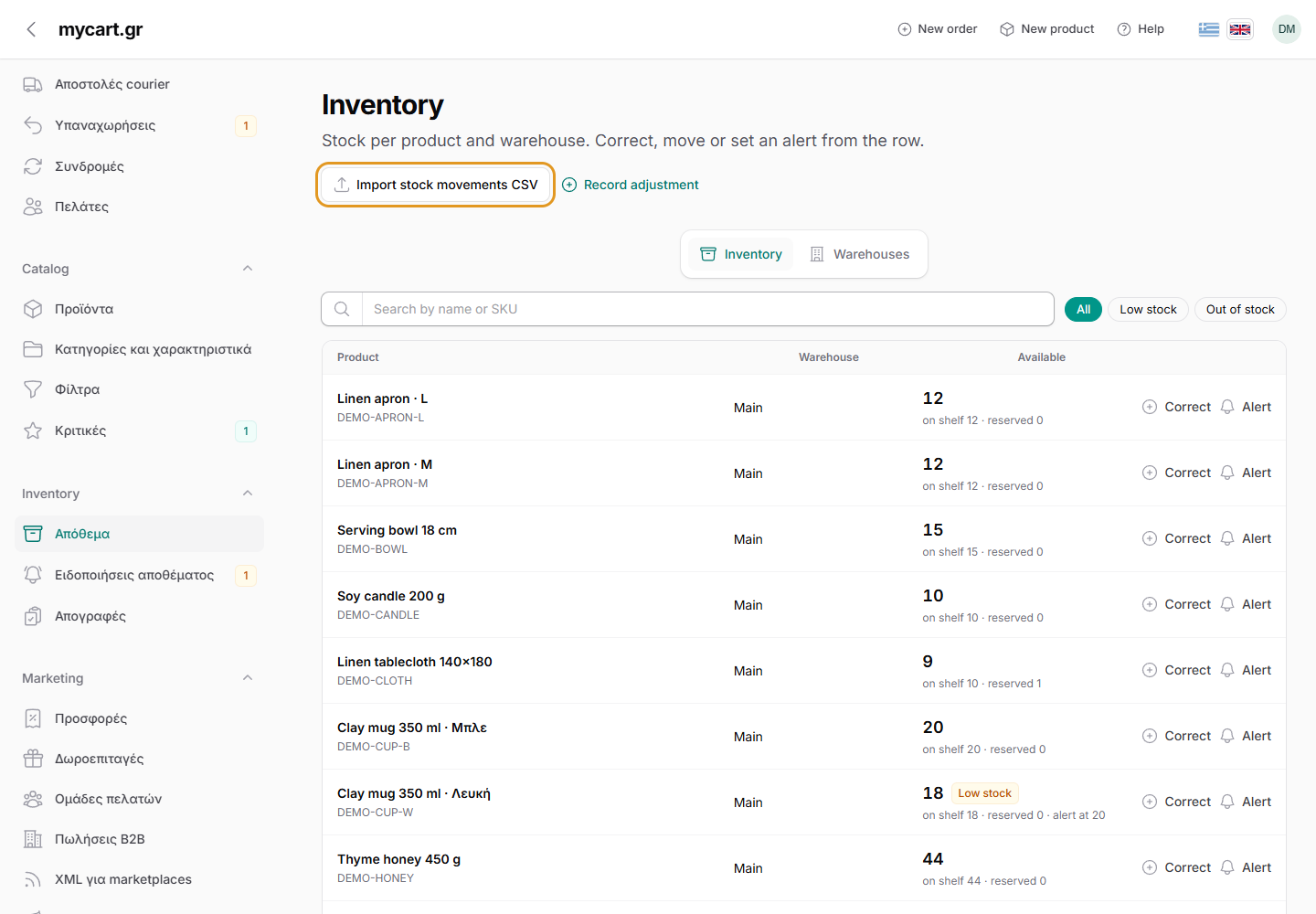
On the shelf and reserved
- On shelf: the units that physically exist.
- Reserved: units that belong to orders that have not left yet.
- Available: the difference, i.e. what customers can buy.
Correcting stock
Click Correct on the product's row. Choose Add, Remove or New total, the quantity and the Reason: supplier delivery, damage, count correction, customer return, gift or sample. Stock never drops below the reserved units.
Transfers
Transfer stock moves units to another warehouse. Only available units can be transferred.
Low-stock alert
With Alert you set, for each variant and warehouse, when stock counts as low. When the available units reach that level, an alert opens in Stock alerts. No email is sent.
Warehouses
Create warehouse adds a warehouse, e.g. "Athens warehouse". A warehouse can be archived only when it has neither physical nor reserved stock. Its history stays.
Importing stock movements from CSV
For many changes at once, up to 1,000 rows. Each row adds or removes units. If one row fails, the whole import is cancelled. For counting a shelf, see Stock counts.